


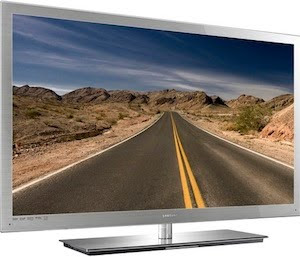
Purchasing an HDTV is a tricky proposition. To avoid ending up with a dud, read these tips before you buy.
Buying an HDTV can be a daunting task. Unlike a smartphone, which typically sells for a few hundred dollars, an HDTV is a major investment that could last you for several years. For that reason, many consumers spend a lot amount of time poring over reviews, measuring sets to ensure that they'll fit the available wall space, and trying to find the best television in their price range.But other, more-technical questions are also relevant.
Should you opt for a 720p set? Do you really need 3D? Is the picture quality that a set has at your local Best Buy a good indicator of its picture quality in your living room? For help in answering these questions, read on.
720p or 1080p?
You've probably heard people talking about 720p and 1080p quite a bit. But what do those terms mean?
The p at the end of 720p and 1080p stands for progressive. The numbers before the p indicate that the HDTV draws either 720 lines or 1080 lines of vertical resolution across its screen to create the picture. When progressive programming is sent to a television, the set displays the lines of resolution in sequential order. That helps deliver a nice, clean image. Vendors label televisions as 720p or 1080p to tell customers the maximum resolution that the particular set can output.
At times, you may see an i instead of a p after 720 or 1080. That i stands for interlaced. When you watch content in 1080i, the set draws the picture with 1080 lines of resolution. But the TV displays the odd-numbered lines before the even-numbered ones, resulting in some visual-quality quirks (especially when you're watching sports or fast-moving action sequences in movies) that make 1080p a more desirable resolution.
In cable and satellite broadcasts, programming is available in 720p or 1080i. DVDs are recorded at 480p resolution, and Blu-ray movies at 1080p resolution.
Will you be using your set exclusively to watch cable or satellite programming, or are you likely to watch movies, too? If movie watching is in your plans, do you intend to buy Blu-ray movies in the future or stick with DVDs? Figuring all of that out should help you decide whether to opt for a 1080p set or a 720p set.
But resolution isn't the only factor to consider in making that decision.
It's becoming increasingly difficult to find 720p sets on store shelves. The costs associated with producing 1080p televisions have dropped; and with Blu-ray adoption on the rise, vendors recognize that offering a maximum resolution of 720p might not satisfy most customers.
For the most part, a 720p set is suitable only for buyers who are on a budget or who don't plan to watch Blu-ray films. For everyone else, since buying an HDTV is a long-term proposition, a 1080p television provides the best future-proofing.
Want to see the difference for yourself? We took screen captures of the same scene in both 720p and 1080p on a PC to show the difference in resolution. Open these two images yourself and compare them. When you zoom in, you'll see that the 1080p image looks much crisper and more detailed--and the difference gets magnified when you look at images displayed on a large TV screen instead of a smaller PC monitor.
Don't Believe In-Store Picture Quality
One of the biggest mistakes consumers make when buying an HDTV is to think that the set's picture will look just as good at home as it does at the store. This error often leads to extreme disappointment.
Most retailers display televisions with picture-quality settings that are ideal for viewing under the fluorescent lighting of a typical in-store environment. Also, all of the pastel colors you see are adjusted to capitalize on the notion that the more vibrant the picture is, the better the television is.
In fact, a properly calibrated HDTV might look rather dark at first glance. But what you lose in vividness, you get back in detail and in energy-cost savings.
Does that mean you should opt for the dullest-looking set in the store? Not a chance. But there are some things you can do at the store to improve your ability to evaluate the available sets accurately.
First, make sure that the HDTVs you're interested in are displaying an HD video source and that they're using an HDMI cable to pump that content to the television. If one set shows standard-definition content while another displays HD programming, you won't be able to compare the televisions fairly.
Next, ask the salesperson whether you can change the picture settings on the TV. Changing its video settings so you can see what it might look like at home can help you avoid getting the wrong idea about a showroom-optimized set.
You might also want to bring your own Blu-ray film with you to test out the HDTVs' picture quality. If you bring a movie into the store with you, make sure it's a film you know well. If you've seen it often enough, you'll know what particular scenes should look like, and that information should go a long way toward helping you make the right buying decision.
Does a Lower Price Mean Poorer Quality?
Generally, if one device costs less than another, the cheaper device is of lesser quality in some way--so you get what you pay for. But some instances, the television industry bucks that trend.
Let's say that you've decided to buy a 46-inch television--and of course you want the best-quality television you can get for the amount you're willing to spend. You see one high-priced LCD that comes with many of the features you're looking for, but you also see a lower-priced set that has the same features. Should you be scared away by the cheaper set because of its price tag?
Not necessarily.
Vizio, for example, is a budget-conscious television maker. Though its sets may cost hundreds of dollars less than comparable TVs from its chief competitors (like Samsung), they hold up quite well against those rivals in feature selection and image quality.
But before you commit to Vizio, you need to be aware that not all models the company makes are equally good bargains. Models from the company's XVT series of HDTVs consistently perform well in our reviews. They offer most, if not all, of the extras included with other sets of their class, plus a competitive level of picture quality. But the XVT models are more expensive than many of the other sets Vizio sells. The cheaper models, such as the M-series and the E-series, come with fewer features and lower picture quality, though they do sell for a much lower price, as well.
This pattern is the same for every TV vendor. Whether you choose a Panasonic plasma or an LG LCD, you'll have several models to choose from that extend across a wide range of prices and quality levels. And in some cases, Vizio's pricing may not match that of other vendors--especially at the low end.
Don't be scared away by low prices. Even inexpensive models deliver a level of quality that was available only from top-of-the-line sets a few years ago. As long as you know what you want from your new television, and you have a clear idea of what you're willing to spend, and you're aware of the better sets in any company's product line, saving a few bucks on a cheaper set is never a bad idea.
Go 3D
Over the next few years, you'll be hard-pressed to find televisions on store shelves that lack a 3D capability. That's because the cost of adding 3D to sets is minimal. And as more content providers offer 3D, consumers will naturally want a TV that can access it.
So, should you get 3D in your next HDTV? It's tough to say. If you're on a budget, you can save hundreds of dollars by sticking with 2D.
For example, the 2D, 40-inch Samsung UN40D6000 sells for $1099, while the 3D-capable Samsung UN40D6400 costs $1299. Aside from the 3D feature, both sets are extremely similar, so you'll pay $200 extra for the 3D viewing mode.
Some hidden costs go along with 3D viewing. One is the price a 3D Blu-ray player (or PlayStation 3), if you want to watch content that isn't readily available from your cable or satellite provider. In an all-Samsung setup, you'll pay $180 for the cheapest 3D Blu-ray player the company offers. You'll also need 3D glasses--and Samsung's eyewear runs $200 per pair. So after buying the 3D set, the accessories will set you back another $500 or so.
If the set you have your eye on comes with 3D, don't let the third dimension scare you away. When you're not watching 3D programming, you get the same 2D experience you're used to--3D capability has no impact on 2D picture quality.
Buying an HDTV can be a daunting task. Unlike a smartphone, which typically sells for a few hundred dollars, an HDTV is a major investment that could last you for several years. For that reason, many consumers spend a lot amount of time poring over reviews, measuring sets to ensure that they'll fit the available wall space, and trying to find the best television in their price range.But other, more-technical questions are also relevant.
Should you opt for a 720p set? Do you really need 3D? Is the picture quality that a set has at your local Best Buy a good indicator of its picture quality in your living room? For help in answering these questions, read on.
720p or 1080p?
You've probably heard people talking about 720p and 1080p quite a bit. But what do those terms mean?
The p at the end of 720p and 1080p stands for progressive. The numbers before the p indicate that the HDTV draws either 720 lines or 1080 lines of vertical resolution across its screen to create the picture. When progressive programming is sent to a television, the set displays the lines of resolution in sequential order. That helps deliver a nice, clean image. Vendors label televisions as 720p or 1080p to tell customers the maximum resolution that the particular set can output.
At times, you may see an i instead of a p after 720 or 1080. That i stands for interlaced. When you watch content in 1080i, the set draws the picture with 1080 lines of resolution. But the TV displays the odd-numbered lines before the even-numbered ones, resulting in some visual-quality quirks (especially when you're watching sports or fast-moving action sequences in movies) that make 1080p a more desirable resolution.
In cable and satellite broadcasts, programming is available in 720p or 1080i. DVDs are recorded at 480p resolution, and Blu-ray movies at 1080p resolution.
Will you be using your set exclusively to watch cable or satellite programming, or are you likely to watch movies, too? If movie watching is in your plans, do you intend to buy Blu-ray movies in the future or stick with DVDs? Figuring all of that out should help you decide whether to opt for a 1080p set or a 720p set.
But resolution isn't the only factor to consider in making that decision.
It's becoming increasingly difficult to find 720p sets on store shelves. The costs associated with producing 1080p televisions have dropped; and with Blu-ray adoption on the rise, vendors recognize that offering a maximum resolution of 720p might not satisfy most customers.
For the most part, a 720p set is suitable only for buyers who are on a budget or who don't plan to watch Blu-ray films. For everyone else, since buying an HDTV is a long-term proposition, a 1080p television provides the best future-proofing.
Want to see the difference for yourself? We took screen captures of the same scene in both 720p and 1080p on a PC to show the difference in resolution. Open these two images yourself and compare them. When you zoom in, you'll see that the 1080p image looks much crisper and more detailed--and the difference gets magnified when you look at images displayed on a large TV screen instead of a smaller PC monitor.
Don't Believe In-Store Picture Quality
One of the biggest mistakes consumers make when buying an HDTV is to think that the set's picture will look just as good at home as it does at the store. This error often leads to extreme disappointment.
Most retailers display televisions with picture-quality settings that are ideal for viewing under the fluorescent lighting of a typical in-store environment. Also, all of the pastel colors you see are adjusted to capitalize on the notion that the more vibrant the picture is, the better the television is.
In fact, a properly calibrated HDTV might look rather dark at first glance. But what you lose in vividness, you get back in detail and in energy-cost savings.
Does that mean you should opt for the dullest-looking set in the store? Not a chance. But there are some things you can do at the store to improve your ability to evaluate the available sets accurately.
First, make sure that the HDTVs you're interested in are displaying an HD video source and that they're using an HDMI cable to pump that content to the television. If one set shows standard-definition content while another displays HD programming, you won't be able to compare the televisions fairly.
Next, ask the salesperson whether you can change the picture settings on the TV. Changing its video settings so you can see what it might look like at home can help you avoid getting the wrong idea about a showroom-optimized set.
You might also want to bring your own Blu-ray film with you to test out the HDTVs' picture quality. If you bring a movie into the store with you, make sure it's a film you know well. If you've seen it often enough, you'll know what particular scenes should look like, and that information should go a long way toward helping you make the right buying decision.
Does a Lower Price Mean Poorer Quality?
Generally, if one device costs less than another, the cheaper device is of lesser quality in some way--so you get what you pay for. But some instances, the television industry bucks that trend.
Let's say that you've decided to buy a 46-inch television--and of course you want the best-quality television you can get for the amount you're willing to spend. You see one high-priced LCD that comes with many of the features you're looking for, but you also see a lower-priced set that has the same features. Should you be scared away by the cheaper set because of its price tag?
Not necessarily.
Vizio, for example, is a budget-conscious television maker. Though its sets may cost hundreds of dollars less than comparable TVs from its chief competitors (like Samsung), they hold up quite well against those rivals in feature selection and image quality.
But before you commit to Vizio, you need to be aware that not all models the company makes are equally good bargains. Models from the company's XVT series of HDTVs consistently perform well in our reviews. They offer most, if not all, of the extras included with other sets of their class, plus a competitive level of picture quality. But the XVT models are more expensive than many of the other sets Vizio sells. The cheaper models, such as the M-series and the E-series, come with fewer features and lower picture quality, though they do sell for a much lower price, as well.
This pattern is the same for every TV vendor. Whether you choose a Panasonic plasma or an LG LCD, you'll have several models to choose from that extend across a wide range of prices and quality levels. And in some cases, Vizio's pricing may not match that of other vendors--especially at the low end.
Don't be scared away by low prices. Even inexpensive models deliver a level of quality that was available only from top-of-the-line sets a few years ago. As long as you know what you want from your new television, and you have a clear idea of what you're willing to spend, and you're aware of the better sets in any company's product line, saving a few bucks on a cheaper set is never a bad idea.
Go 3D
Over the next few years, you'll be hard-pressed to find televisions on store shelves that lack a 3D capability. That's because the cost of adding 3D to sets is minimal. And as more content providers offer 3D, consumers will naturally want a TV that can access it.
So, should you get 3D in your next HDTV? It's tough to say. If you're on a budget, you can save hundreds of dollars by sticking with 2D.
For example, the 2D, 40-inch Samsung UN40D6000 sells for $1099, while the 3D-capable Samsung UN40D6400 costs $1299. Aside from the 3D feature, both sets are extremely similar, so you'll pay $200 extra for the 3D viewing mode.
Some hidden costs go along with 3D viewing. One is the price a 3D Blu-ray player (or PlayStation 3), if you want to watch content that isn't readily available from your cable or satellite provider. In an all-Samsung setup, you'll pay $180 for the cheapest 3D Blu-ray player the company offers. You'll also need 3D glasses--and Samsung's eyewear runs $200 per pair. So after buying the 3D set, the accessories will set you back another $500 or so.
If the set you have your eye on comes with 3D, don't let the third dimension scare you away. When you're not watching 3D programming, you get the same 2D experience you're used to--3D capability has no impact on 2D picture quality.


